


Left panel
The left panel has the following elements.
Queue name filter
In this field you can type a queue name to filter the queues list.

Queue list page selector
Drop-down to select the queue list page.

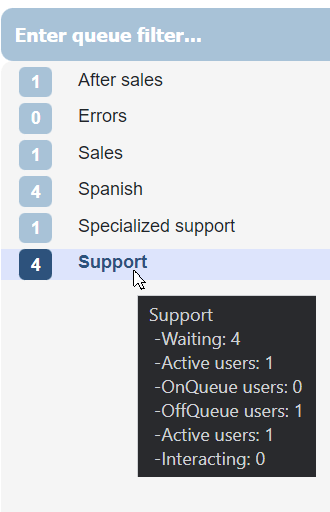
Queues list
The queue list allows you to select a queue to display its mails in the main panel.
Each queue shows in real time the number of mails pending in that queue.
Tracking button
This option displays the list of emails marked with the tracking star. The tracking is not shared with other users, so each user will have his own list of tracking emails.
Note: The tracking information is stored within your own browser on your PC, so you will lose tracking data if you replace your PC or delete the localStorage from your browser.

Last opened button
Displays the list of emails that have been recently opened in Email Center. Up to a maximum of 100 emails will be displayed.

Spam button
Displays the conversations that Genesys Cloud has disconnected due to Spam, without going through any queue. Allows you to review possible false positives from customers who want to communicate with your organization.
As a precaution, this option is only available to supervisors, as these emails may contain attachments with viruses or malicious content.
Use this option with caution

Help button
Displays this help manual



